Video compressor for iPhone, iPad and Mac
Free up storage,
keep quality
Your iPhone is full of video. VideoSqueezer finds the clips taking up the most space, makes them dramatically smaller while keeping them looking the way you shot them, and gives you the space back — all on your device.
Your space back in three steps
1 · Scan
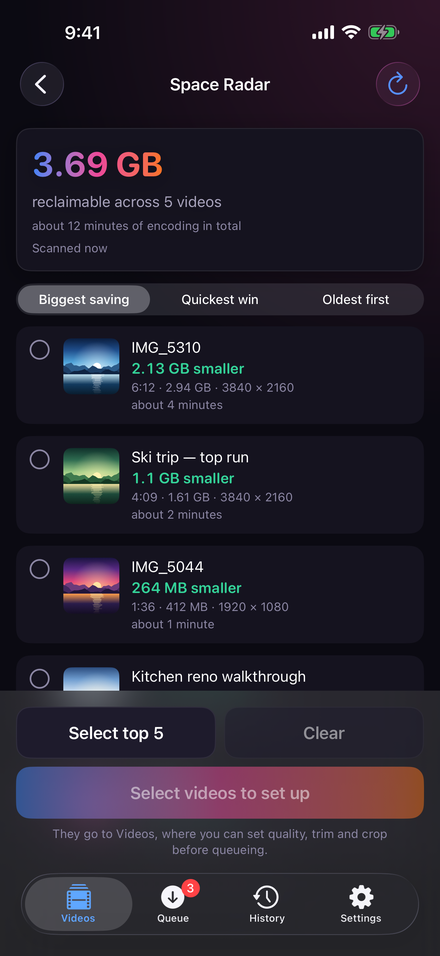
Space Radar looks through your whole library and ranks every video by how much space it would give back. No encoding, nothing changed.
2 · Check
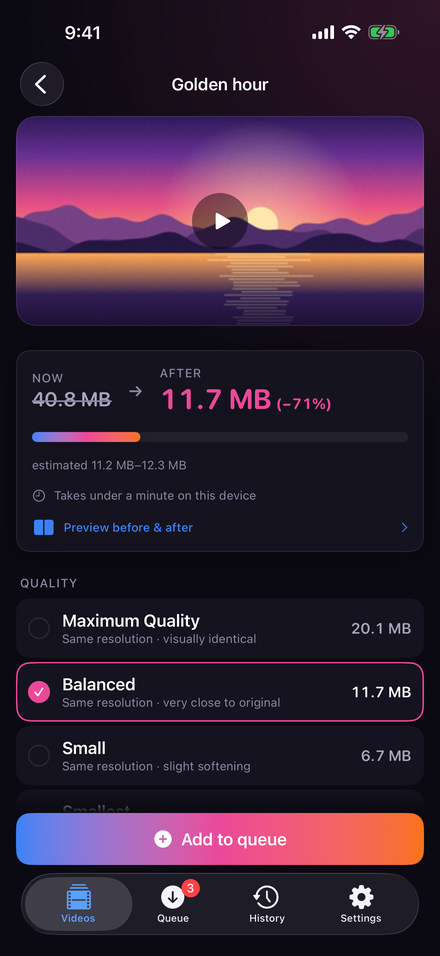
See the new size of each video before you commit, and compare before and after on the same frame, up close.
3 · Free it
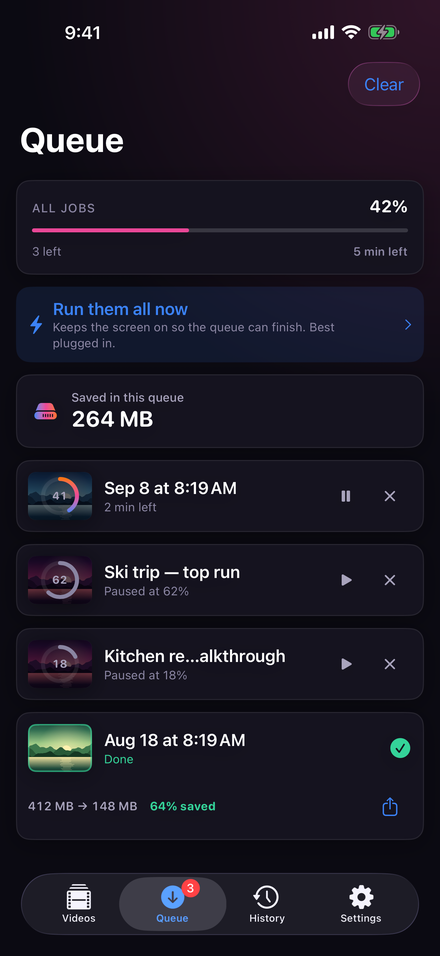
Compress, keep the copy, and let the original go. The history tells you exactly how much space you actually got back.
Smaller files that still look like your videos
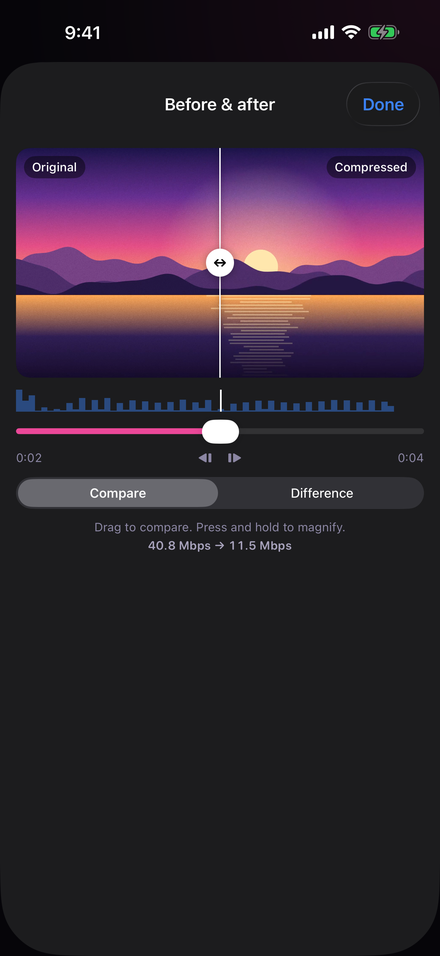
Judge it with your own eyes
Most of what makes a phone video huge is data you will never see. VideoSqueezer uses efficient HEVC, keeps the resolution and frame rate, and adapts to each clip, because a sunset and a football match compress very differently.
Don't take our word for it. Drag the split across the same frame, hold to magnify at real pixel scale, and decide before a single original is touched.
Space back, without the fear
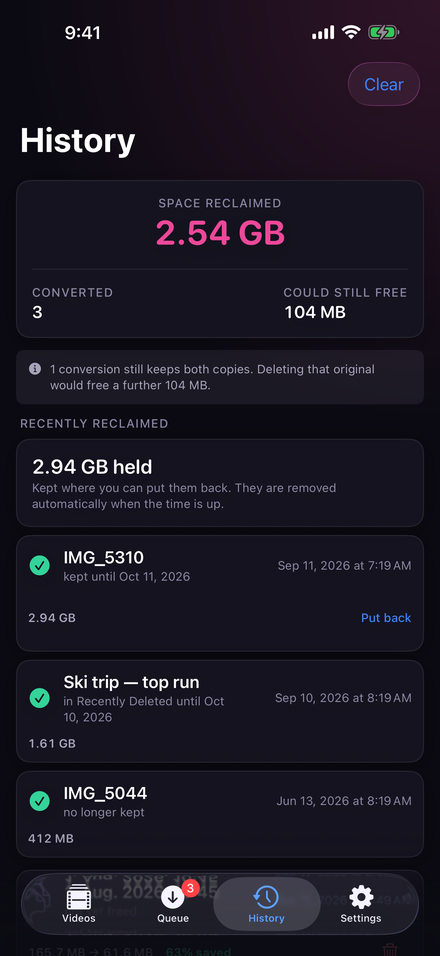
Nothing gone for good
Cleaner apps love a big red Delete button. VideoSqueezer does not. Originals from Photos wait in Recently Deleted for 30 days; originals from Files are held where you can put them back.
And the number it shows you is honest: space you actually freed is kept apart from space you merely could.
Built for the big clear-out
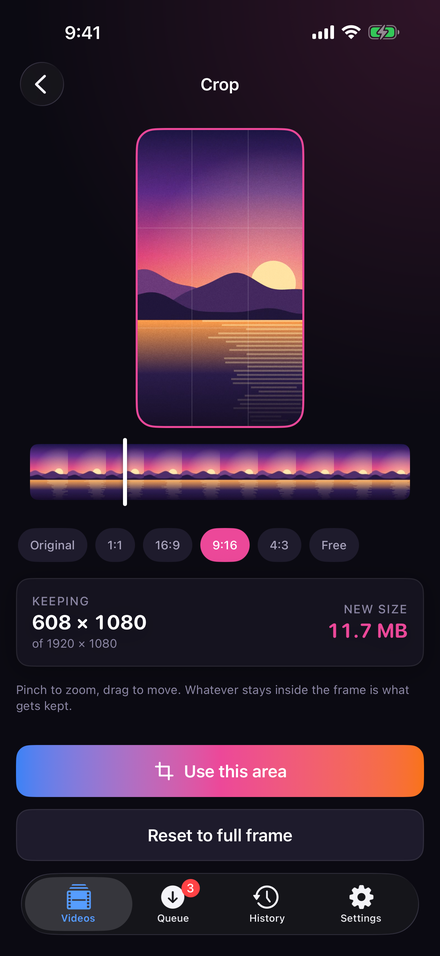
Crop for any screen
Trim what you don't need, which costs nothing in quality, and crop to 1:1, 16:9, 9:16, 4:3 or any shape with a pinch. Set it once and apply it to every video you imported.
Leave it running
A screen made for long queues: it keeps working, dims to a single line, and pauses itself if the phone gets warm or the battery runs low.
Lock Screen progress
Watch the queue on the Lock Screen and in the Dynamic Island — with or without a thumbnail.
Survives interruption
A crash or force-quit costs at most ten seconds of work. The job picks up where it stopped.
Fit a specific size
Need it under a limit for email or a messaging app? Name the size and it gets there.
HDR done right
Keep HDR as shot, convert a copy that looks right everywhere else, or make both.
iPhone, iPad and Mac
A desktop-style queue on iPad, drag and drop, Shortcuts and Siri, and it runs on Apple silicon Macs.
Free to try. Fair to buy.
Clips up to 60 seconds are free, forever, at every quality setting — not a watered-down demo. Unlock videos of any length with a single purchase, or yearly if you prefer.
No weekly subscription. No ads. No account. The kind of storage app you don't have to be careful with.
Your videos never leave your device
No uploads. No analytics. No account. Every frame is read, encoded and written on your own iPhone, iPad or Mac. There is no advertising, no tracking and no server of ours to talk to — the privacy policy says exactly what stays where. And the app can lock behind Face ID or Touch ID while the queue keeps running.
Questions people ask
Will my videos look worse?
At Maximum Quality the difference is not visible; at Balanced it is very close to the original. You can compare before and after on the same frame before committing.
How much space will I get back?
It depends on the video. Space Radar shows the estimate for each one before anything is changed — 4K clips shot on an iPhone often shrink the most.
Does it upload my videos?
No. Everything happens on your device. There is no server, no account and no analytics.
What happens to the originals?
Nothing, until you say so. Originals from Photos go to Recently Deleted for 30 days; originals from Files are held where you can put them back.
Is it a subscription?
Only if you want one. There is a single purchase that unlocks everything for good, and a yearly option. Clips up to 60 seconds are always free.
Why does the app stay open while it works?
iOS stops video encoding about thirty seconds after an app leaves the screen. So there is a screen built for it: it keeps the queue going and pauses itself if the phone gets warm.
VideoSqueezer
The app speaks eleven languages: English, German, French, Spanish, Italian, Brazilian Portuguese, Japanese, Korean, Greek, Ukrainian and Russian.

VideoSqueezer
Free up storage, keep quality. Free for clips up to 60 seconds, unlocked with one purchase. iPhone, iPad and Apple silicon Mac, nothing uploaded.