For Mac, Windows, iPhone and iPad
AI Speech to Text in Any App
You speak. It writes. JustTalk is voice dictation for your Mac: speech to text in any app, polished by AI.
Your words stay yours
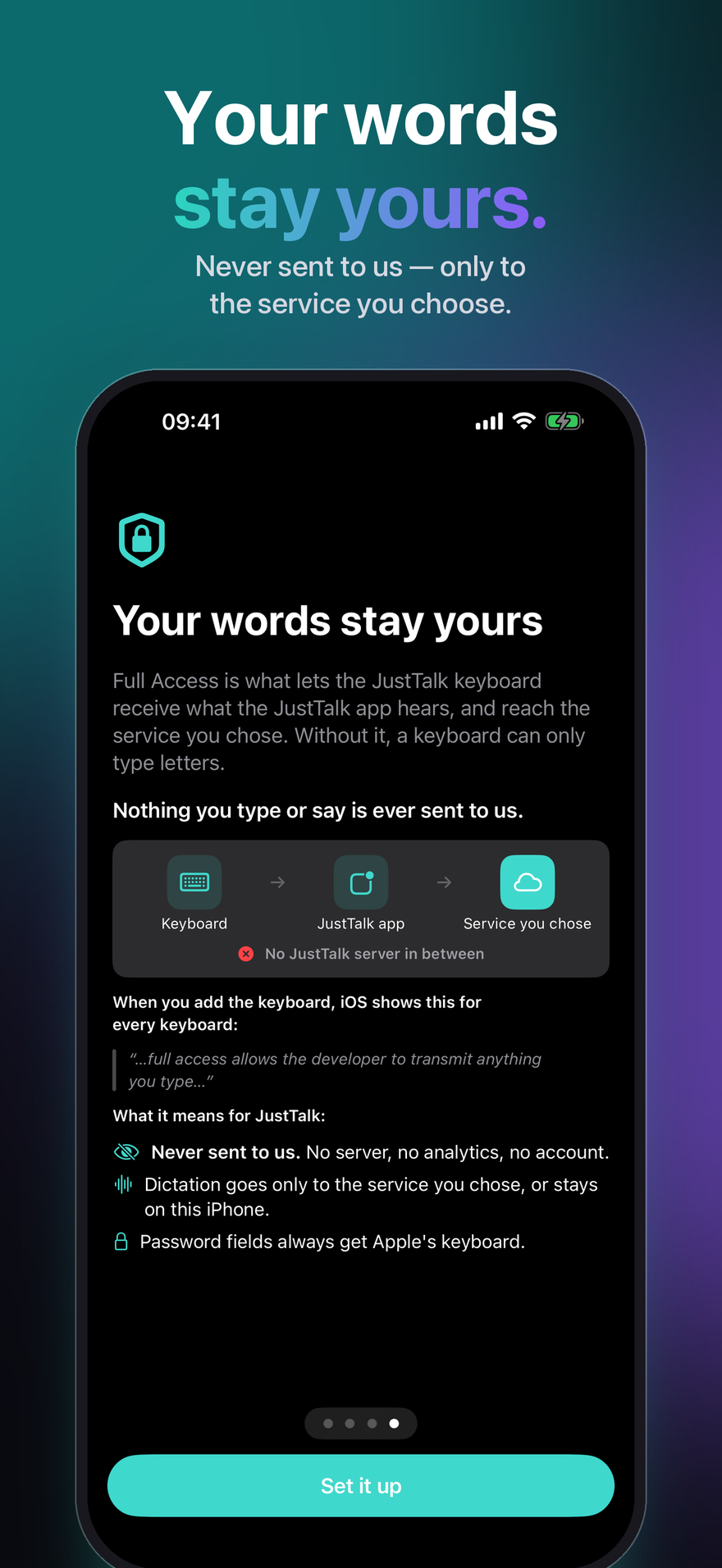
Nothing you type or say is ever sent to us.
On iPhone and iPad the keyboard asks for Full Access. Full Access is what lets the JustTalk keyboard receive what the JustTalk app hears, and reach the service you chose. Without it, a keyboard can only type letters.
- Never sent to us. No server, no analytics, no account.
- Dictation goes only to the service you chose, or stays on your device.
- Password fields always get Apple's keyboard.
Check it yourself: on your iPhone, Settings → Privacy & Security → App Privacy Report — and in JustTalk, Settings → Privacy → What left your iPhone, which services JustTalk contacted, with none of your words in it.
Get JustTalk
The same app on every platform, with the same modes, the same languages and the same choice between local and cloud. Each is a separate one-time purchase: one on the App Store for Mac, another for iPhone and iPad, and a licence from the Microsoft Store for Windows. On Mac, iPhone and iPad, iCloud keeps your modes, phrases, actions and settings in step; Windows takes part through the configuration file.
macOS
macOS 14 or later, Apple silicon or Intel. Dictate into any app with a hotkey.

Windows
Windows 10 (1809) or later, x64, x86 or ARM64. The installer is a signed MSIX.

iPhone & iPad
iOS and iPadOS 26 or later. A keyboard you can dictate from in any app, and a share sheet for recordings you already have.
What it does
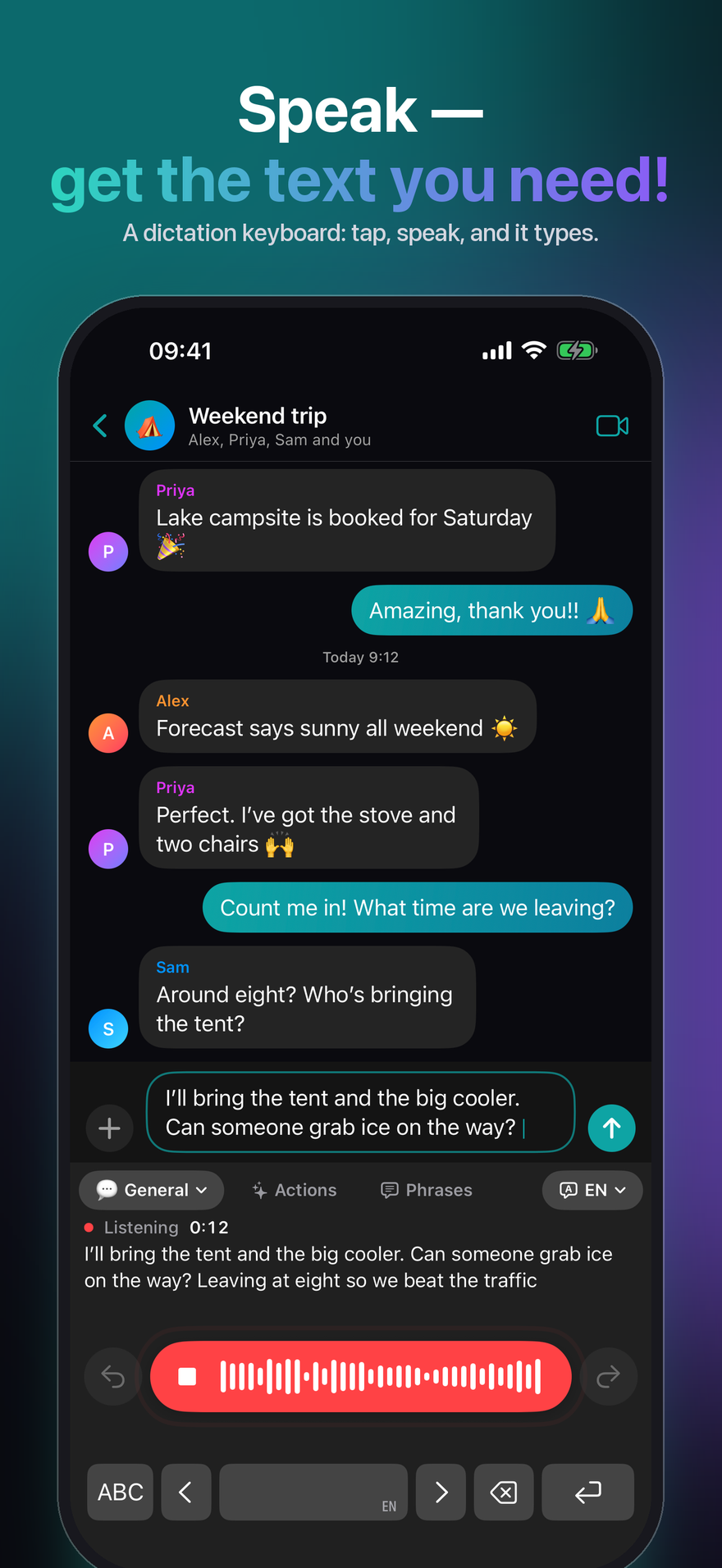
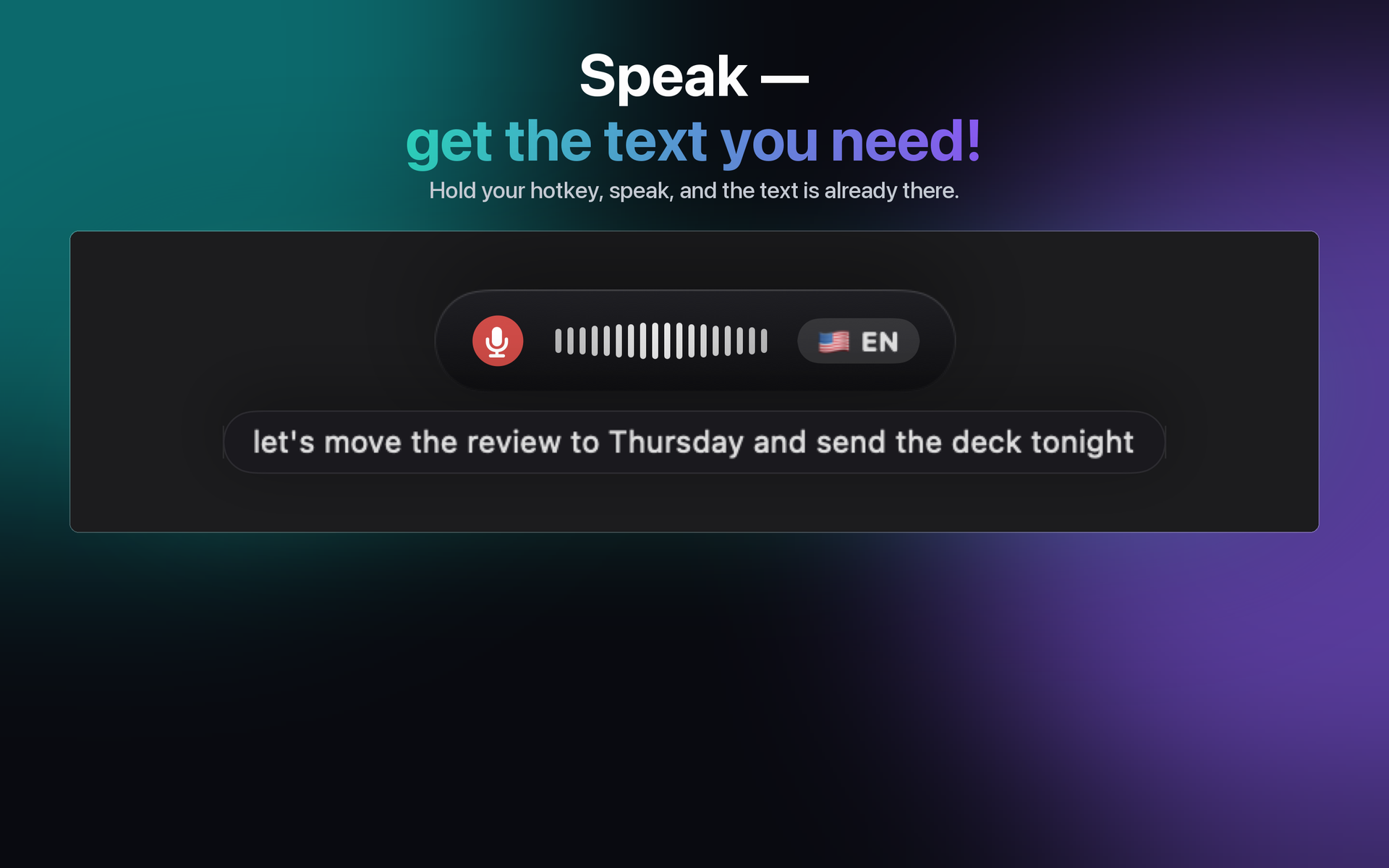
Dictation software usually hands you a transcript and leaves the tidying to you. JustTalk finishes the job: press a hotkey, speak, and the cleaned-up sentence is pasted into whatever app is already in front of you — no window to switch to, nothing to copy across.
Written, not transcribed
A language model strips the ums and fixes the punctuation. What lands in the field is something you would have typed.
Local or cloud, your call
Whisper and a local model run entirely on your own computer, free and offline. Or point it at Google, OpenAI, Groq, Mistral or Anthropic with your own key and pay them directly.
100 languages
Detected as you speak, including mid-sentence. No setting to flip when you switch.
What it costs
The app is one payment. The models are free if you run them locally, and pay-as-you-go if you use a cloud provider — billed by them, not by us. Ten minutes of dictation a day on Groq is well under a dollar a month at their September 2026 rates; a heavy 45 minutes a day is roughly one to three dollars. Everything is unlocked for seven days, with nothing held back and no card required.
After the trial the free version keeps working, every day: 2 dictations of up to 30 characters each, 5 phrases, 5 actions and, on iPhone and iPad, 5 typing fixes. JustTalk Pro makes all of it unlimited for a single payment — with a cloud AI service, use is then limited only by your access to that service. It is not a subscription, and there is nothing to cancel.
New on iPhone and iPad
Private, Fast or Best quality
One choice sets how JustTalk hears and writes: all on your iPhone, or a faster cloud service with your own key, with what it costs a month.
Suggestions while typing
Word suggestions above the letters, and Fix my typing tidies typos when you pause — never your wording.
Remembers your words
Correct a name once and JustTalk offers to remember it, so it is spelled right next time.
Works offline
If the connection drops mid-dictation, your iPhone's own recognition fills in, so nothing is lost.
Start from anywhere
Start a session from the Action button, Control Centre or Back Tap, without opening the app.
Last dictation
Switched apps and the text did not land? One tap types your last dictation again.
How people use it
Email and chat
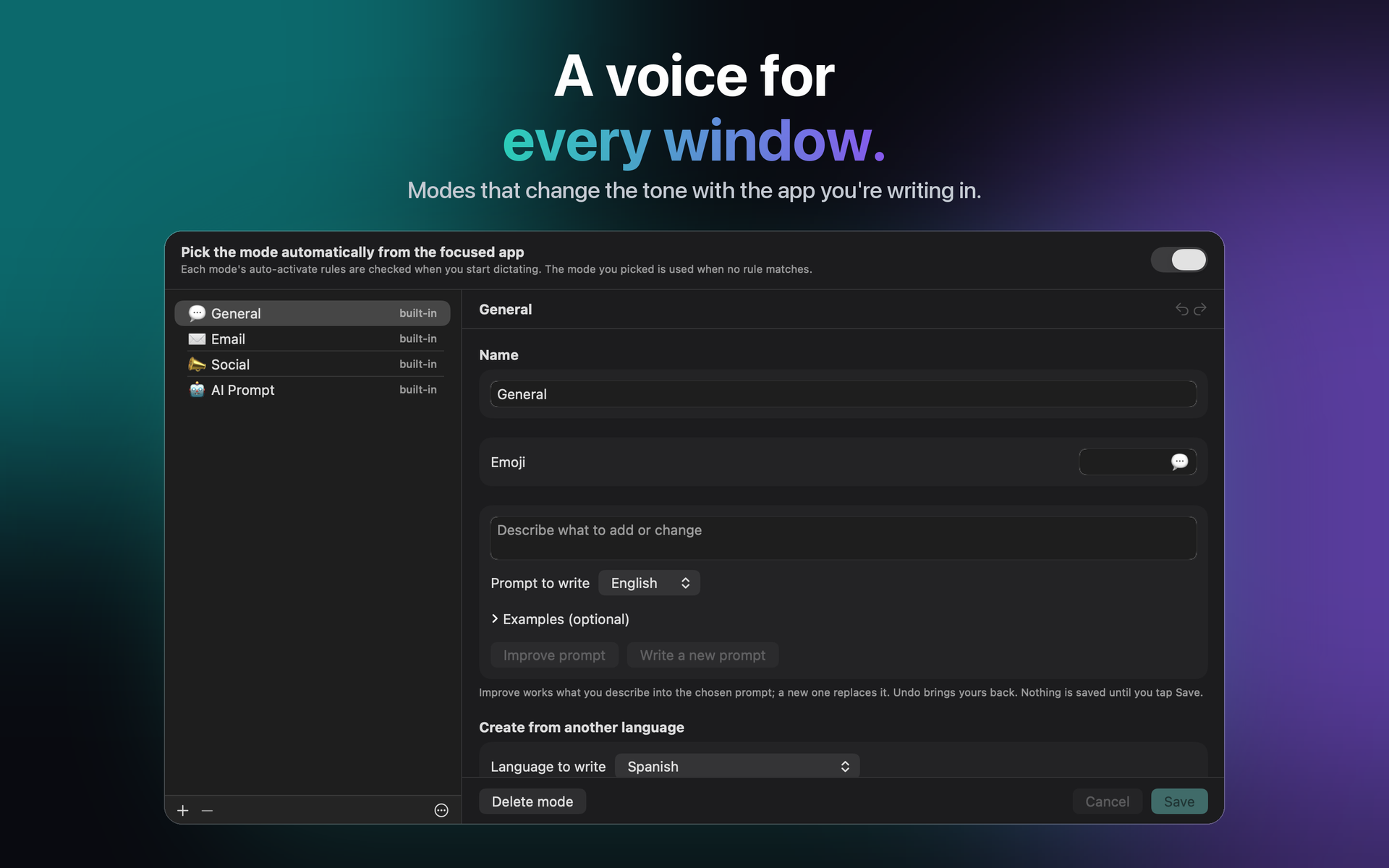
General handles everyday writing; the other modes carry their own tone and vocabulary, and the right one can be picked automatically from the app you are dictating into.
Meetings
Capture both sides of a call and get a transcript of the whole conversation rather than just your half.
Phrases and Actions
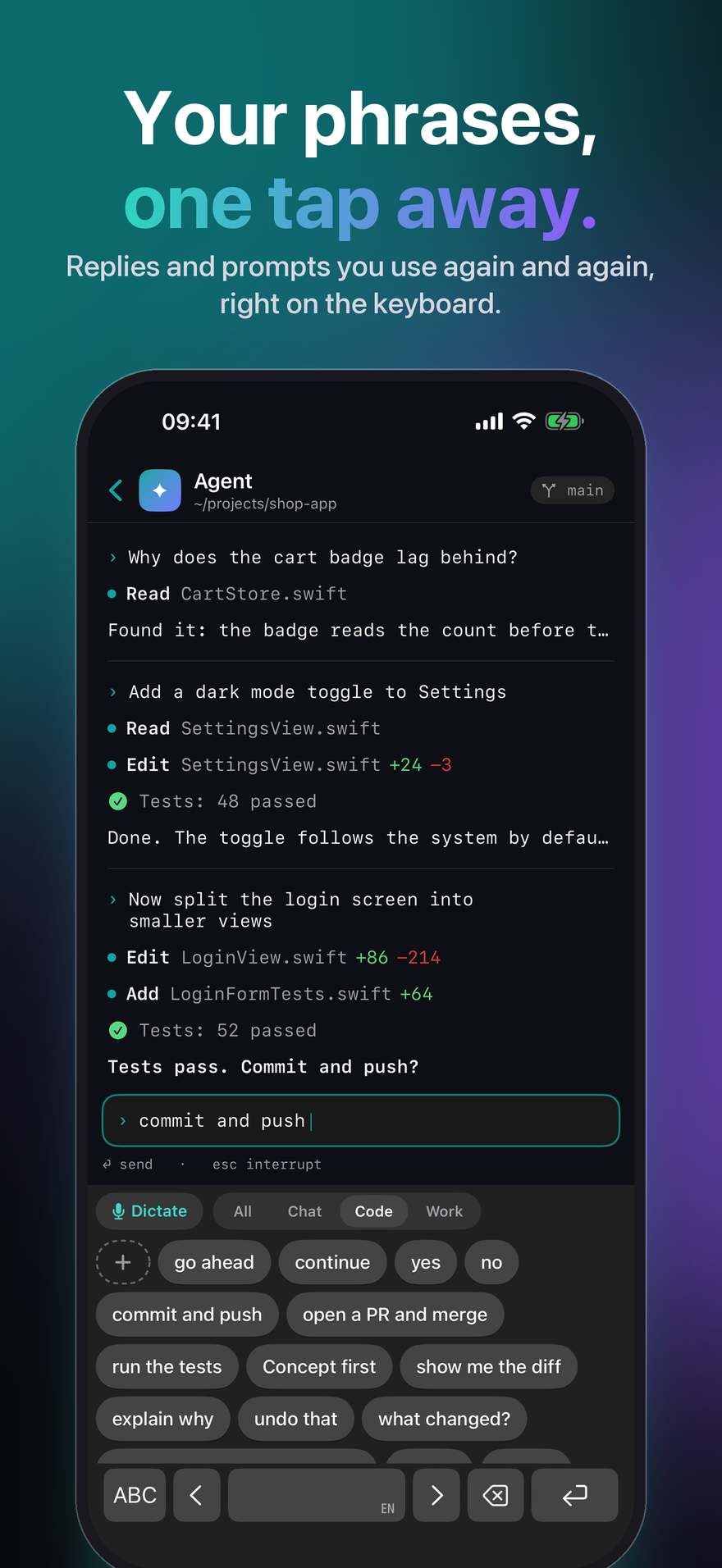
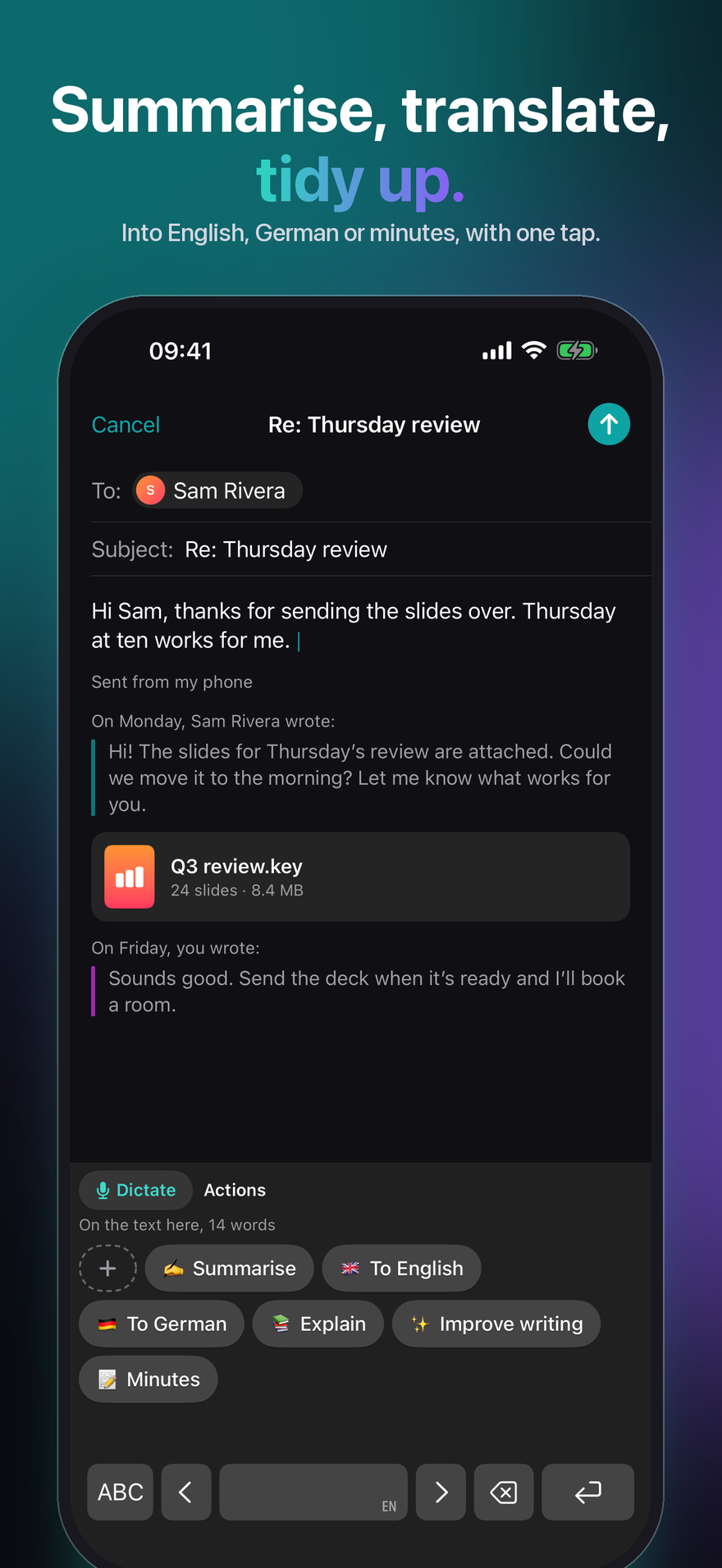
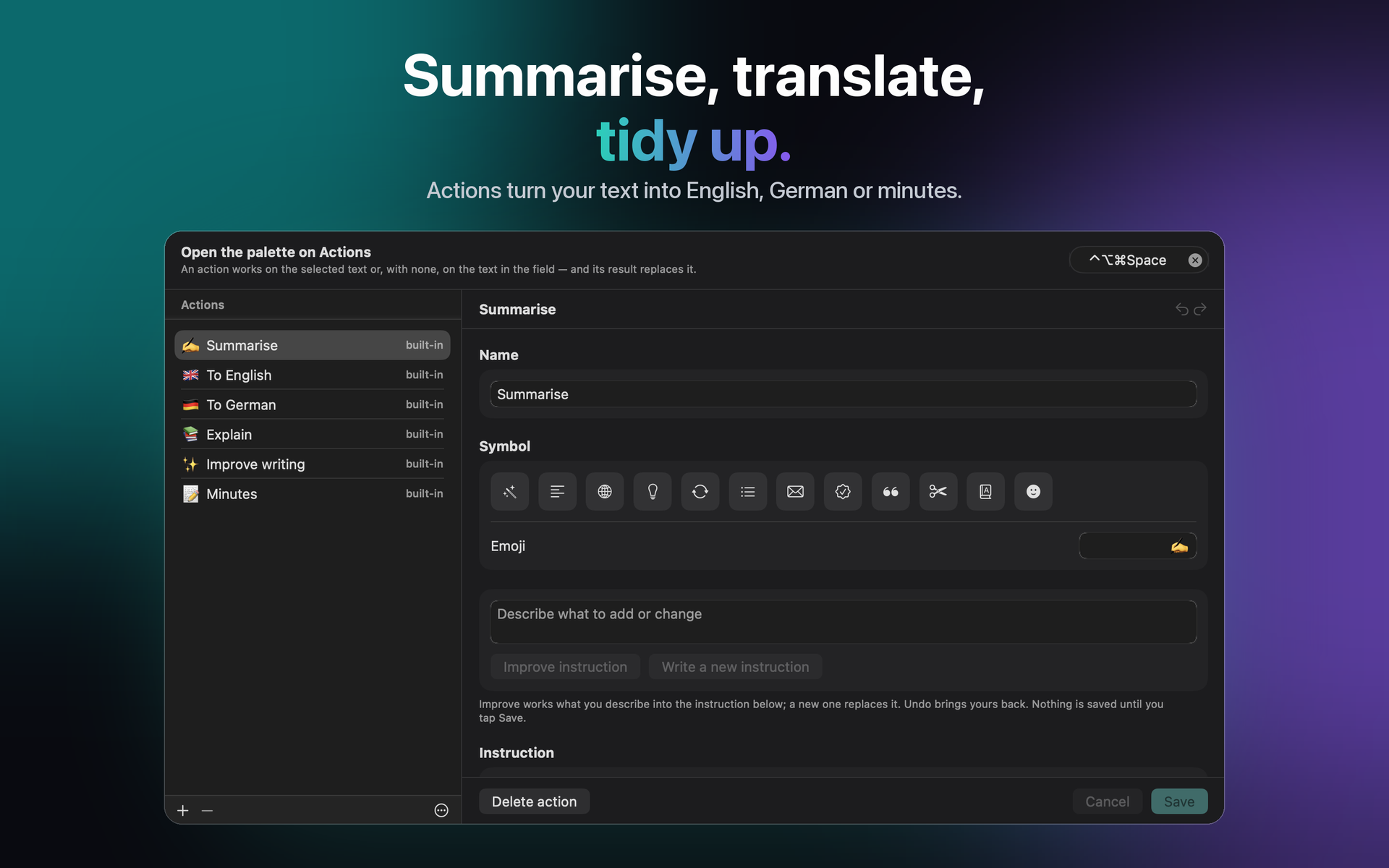
What you write again and again is one tap away, on the iPhone keyboard and in the desktop palette. An Action rewrites the selection, or the whole field, with an instruction you write — or have the model write.
Recordings
A voice memo, a lecture, an interview: open or share it with JustTalk and get the transcript, on every platform.
Local or cloud — you decide, and we say what each costs
JustTalk is the app around the models, not the models. Run them locally — on the device, or on a desktop with Whisper and llama.cpp, Ollama or LM Studio — and nothing is uploaded and nothing is billed. Or connect a cloud provider with a key you create: faster and more accurate, and they bill you directly. The privacy policy says exactly what each option sends, and the AI statement which AI does what.
Dictate in 100 languages, including English, German, French, Spanish, Italian, Portuguese, Japanese, Korean, Greek, Ukrainian and Russian.
JustTalk
Free to try, unlocked by a separate purchase on Mac, on iPhone and iPad, and on Windows. 100 languages, and nothing uploaded unless you ask for it.