For iPhone and iPad
Every tap is the right note
Your child plays a real song the very first time they touch the screen.
How it plays
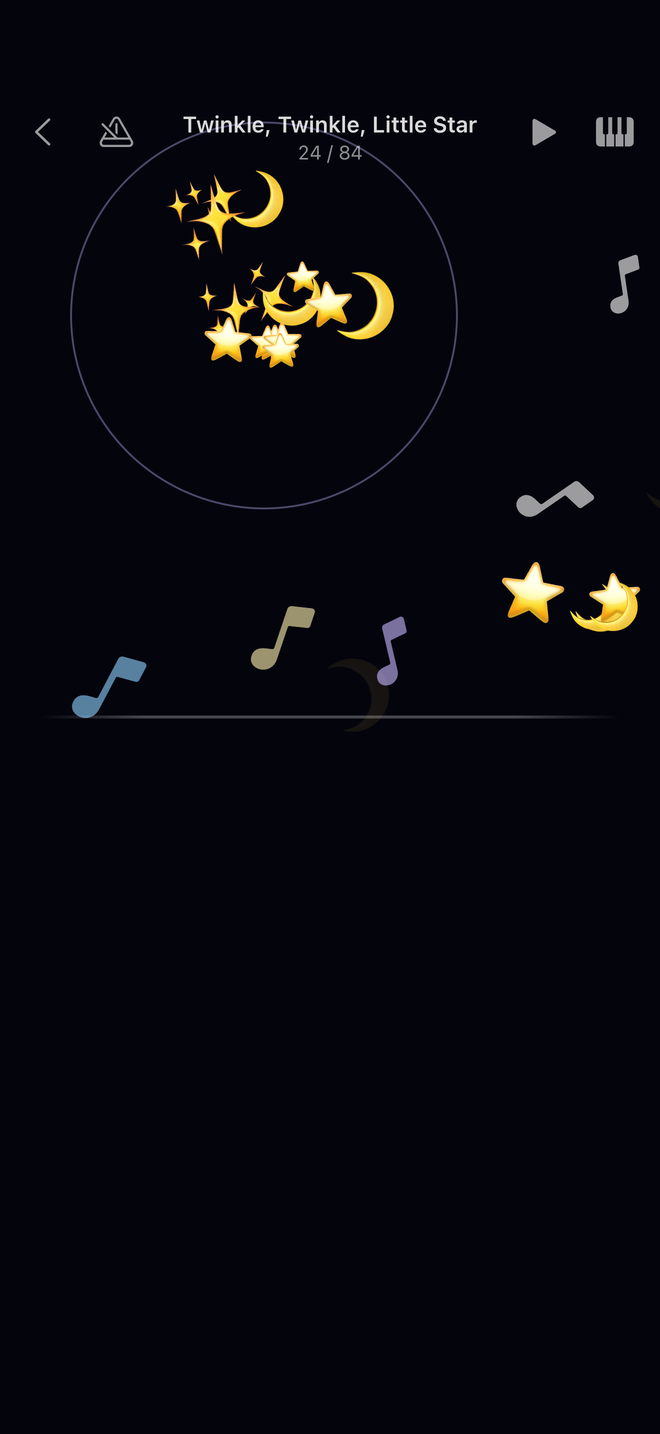
Tap anywhere on the screen and the next note of the melody sounds. Tap fast, tap slow, stop halfway and start again: the tune is always right, and the rhythm is always theirs.
No keys to miss
There is no target to hit and no wrong note to play. Anywhere is correct.
Two hands, if you like
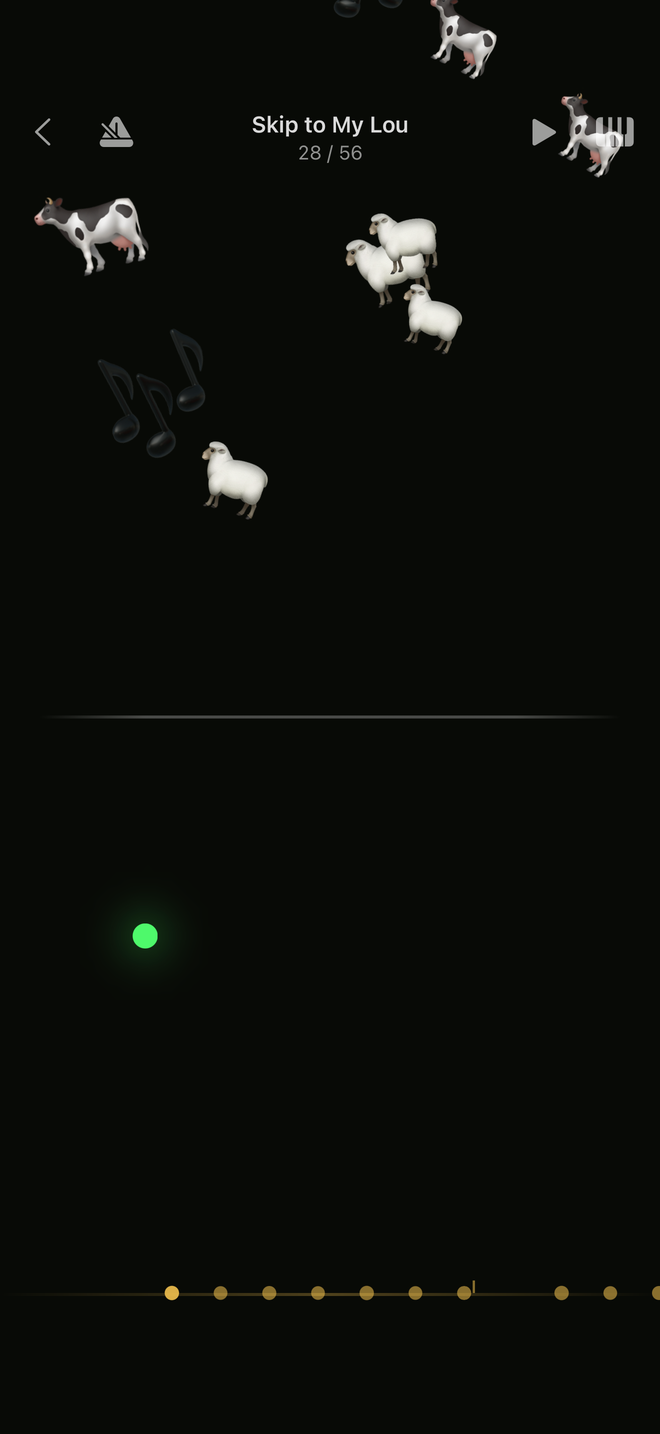
The top of the screen plays the melody; the bottom plays it lower, like a left hand. Both at once plays both.
Every tap blooms
Clipart chosen by the song bursts wherever a finger landed, and louder notes throw more of it.
For parents
No ads. No subscriptions. No accounts. No analytics, no tracking, and no data leaves the device — the only server the app ever talks to is the App Store. It works completely offline. Purchases are one-time and Family Shareable.
What is inside
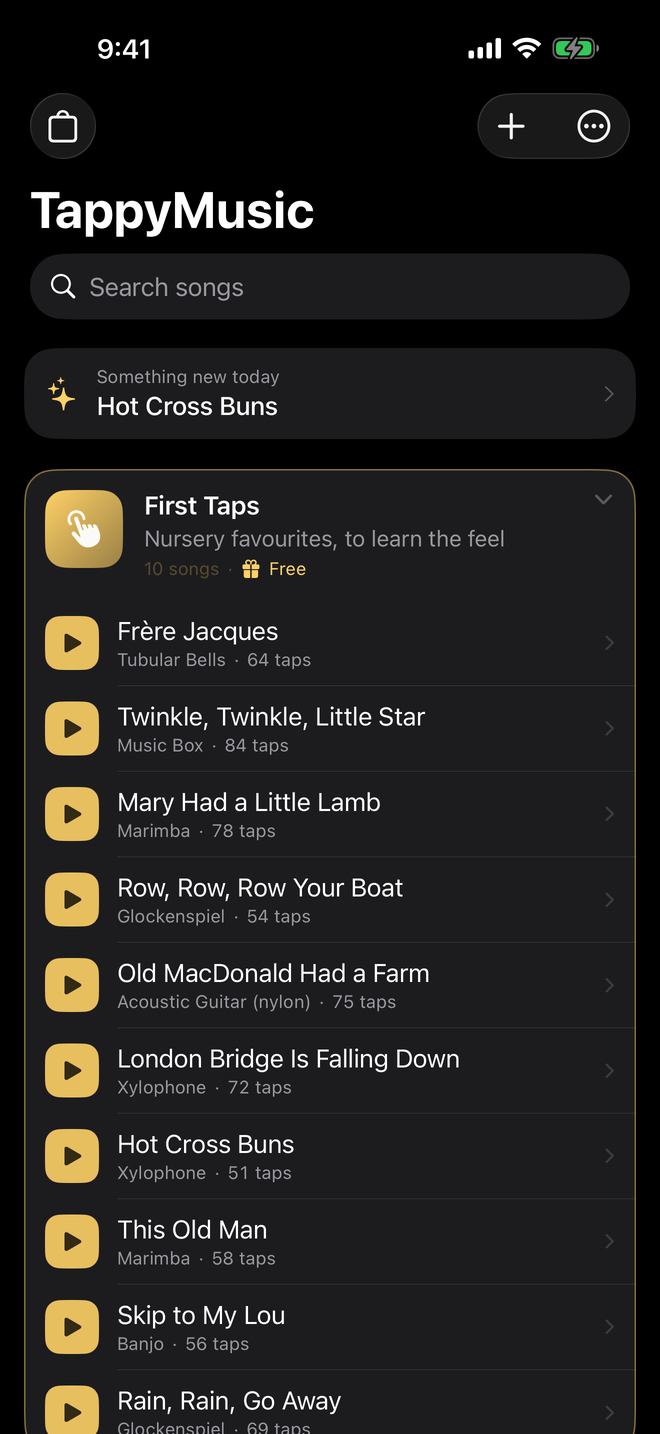
128 melodies across 14 packs — nursery rhymes, bedtime songs, classical, folk and campfire, holiday music, and one pack per tradition. All public domain, played through a real General MIDI sampler on 83 instruments.
First Taps — ten nursery favourites — is free and complete. Every paid pack plays one melody free, so nothing is bought unheard.
Songs from home
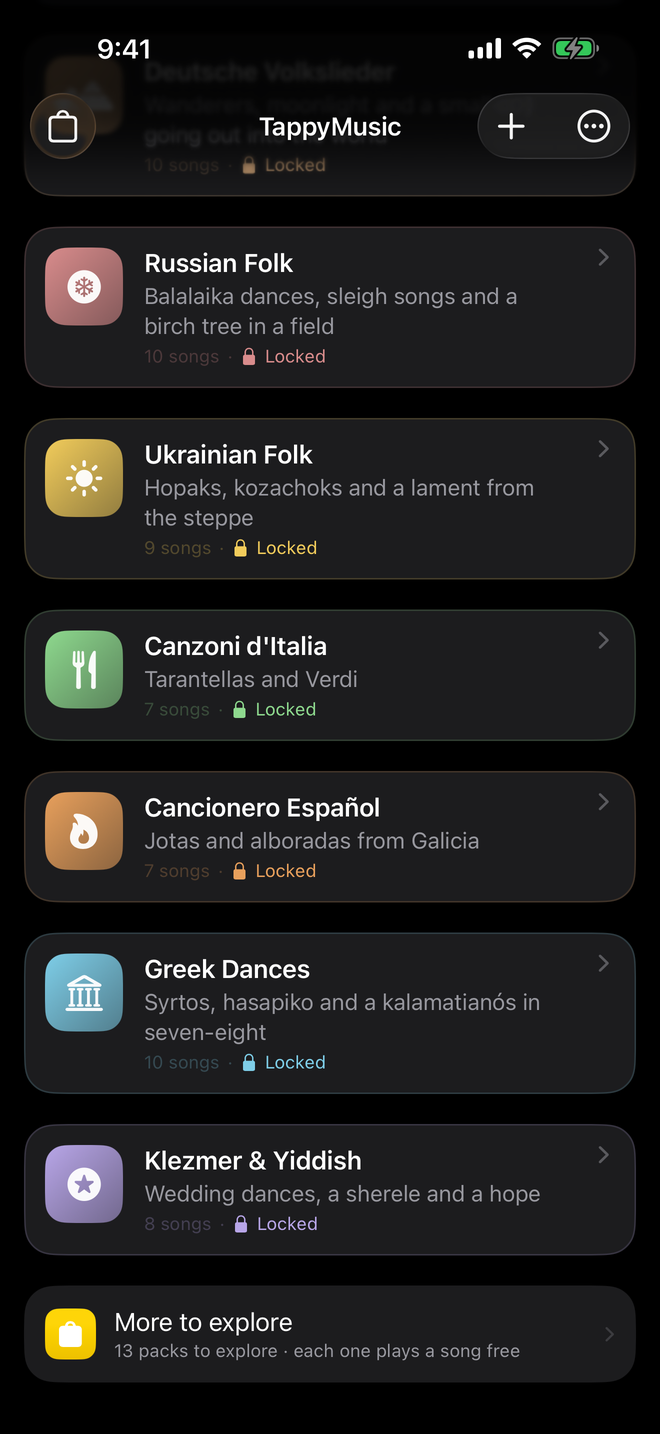
Eight packs, each from one tradition: French chansons, German folk songs, Italian tarantellas, Spanish jotas, Russian folk, Ukrainian hopaks, Greek dances and Klezmer. For a family living far from where it began, these are the songs a grandparent sang — played by a grandchild's own hands.
Learning to play it properly
When a child wants more than freedom, the learning menu is there. None of it is compulsory, and none of it is ever shown as a score out of ten.
Follow along
A ball bounces and lands exactly when the next note is due, falling under gravity — so the rhythm can be seen before it arrives.
Listen
Hear how the song goes from here, at full speed or half, one phrase at a time.
See how you played
At the end, a picture of how closely the playing kept to the written rhythm. A picture, not a mark.
Make it yours
Import your own songs
Any MIDI file becomes a song to tap, through a wizard that picks the tune out of the file and lets you hear it at every step.
Make your own cliparts
Build a look from any emoji on the phone and give it to any song.
TappyMusic Pro
All three of these and every melody pack, in one purchase, shared with your family.
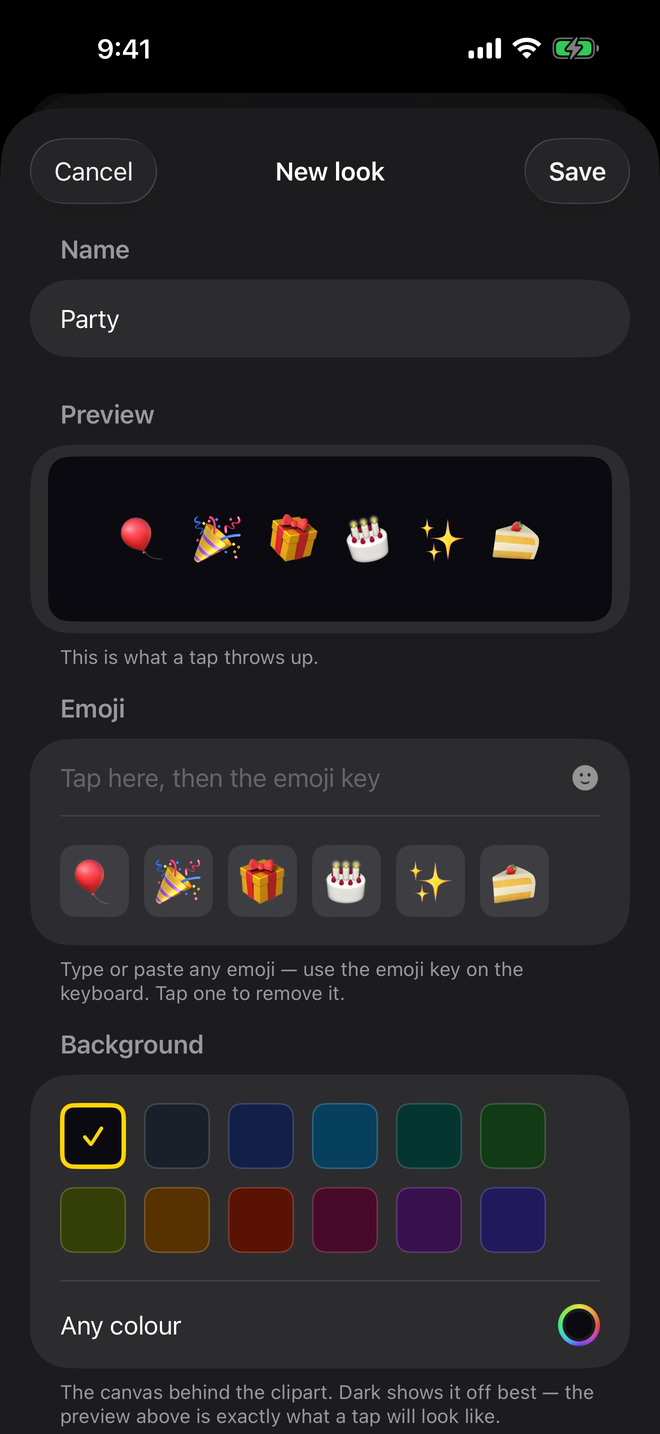
Six emoji, and you have made something
Type any emoji your phone knows and the preview underneath shows exactly what a tap will throw up — drawn by the same renderer the app plays with. Pick the colour behind them and give the look to any song.
Your own songs and cliparts are the only things nothing can re-download, so the app writes them to an ordinary zip file you can keep anywhere.
Questions parents ask
What age is it for?
Children up to five, and well past it: the learning tools are there for the day a child wants to play a song properly.
Does it need the internet?
No. Everything works offline. The only server the app ever contacts is the App Store, for purchases.
Is it a piano app?
There is no keyboard. The whole screen is the instrument, and every song plays on its own sound — music box, xylophone, cello, piano and many more.
Can my child buy something by accident?
No. The shop and every purchase sit behind a parental gate that a young child cannot read.
Does it work on iPad?
Yes, on iPhone and iPad. Turn an iPad sideways and the left side plays the song lower, for two hands.
Is there a subscription?
No. Every purchase is one-time and yours to keep, and Family Sharing covers the whole family.
The app speaks eleven languages: English, German, French, Spanish, Italian, Brazilian Portuguese, Japanese, Korean, Greek, Ukrainian and Russian.
TappyMusic
Free to download, with ten nursery songs to keep. iPhone and iPad, eleven languages, no account needed.